Accessing ATA-Locked Drives
Drives protected by the ATA Security feature set can stop a forensic examiner from imaging a drive that has been lawfully seized for analysis. While a drive is in the ATA-locked state, its contents cannot be read without the correct password, and guessing it is not a practical option. Rather than attempting to guess the password, Atola Insight reads the credential that the drive itself stores in its firmware (service) area and uses it to return the drive to a readable state in under 2 minutes, with just a few mouse clicks.
This capability is intended for forensic examiners and labs working with media they are legally authorized to examine. Every action is recorded for the case record (see below).
Returning a drive to a readable state does not affect its hash value, because the ATA password is held in the drive's firmware (service) area, which is never included in hash calculation.
This capability works with various Seagate, WD, Toshiba, Hitachi, Samsung, Fujitsu, Maxtor SATA and IDE drives. For more information, see the complete list of supported drives.
Check a drive's ATA security status
Before you even start imaging, Atola Insight Forensic automatically checks the hard drive's security status when the drive is initialized. The security status is displayed on the main screen for your convenience. You can also double-check the status with one click of a button.
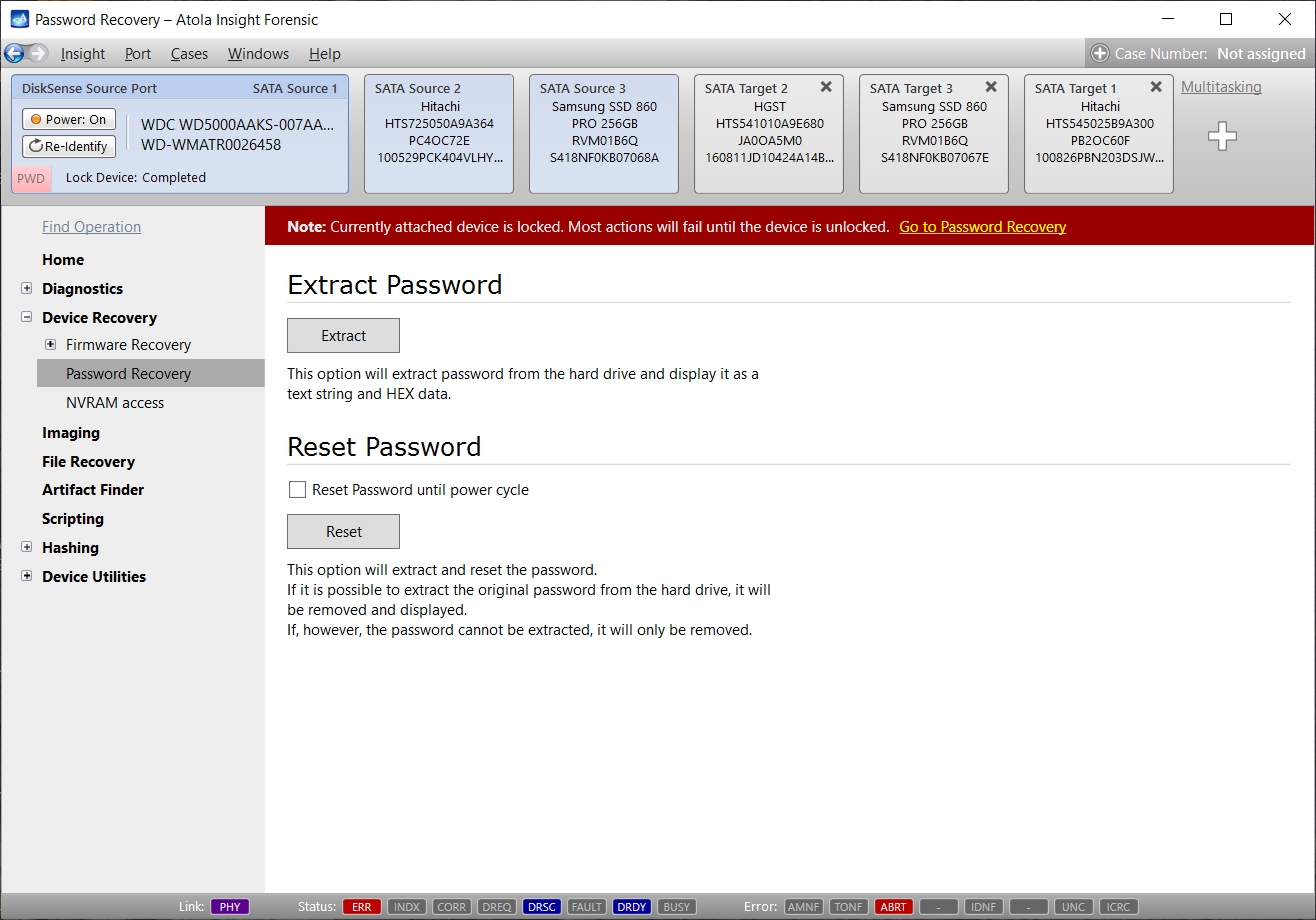
Read the credential, or restore access — your choice
If a drive is in the ATA-locked state, you can choose to return it to a readable state. Alternatively, just read and review the stored credential without changing the drive's state. This entire process takes under 2 minutes and works for both High and Maximum security levels.
The credential is shown in both HEX and text form.
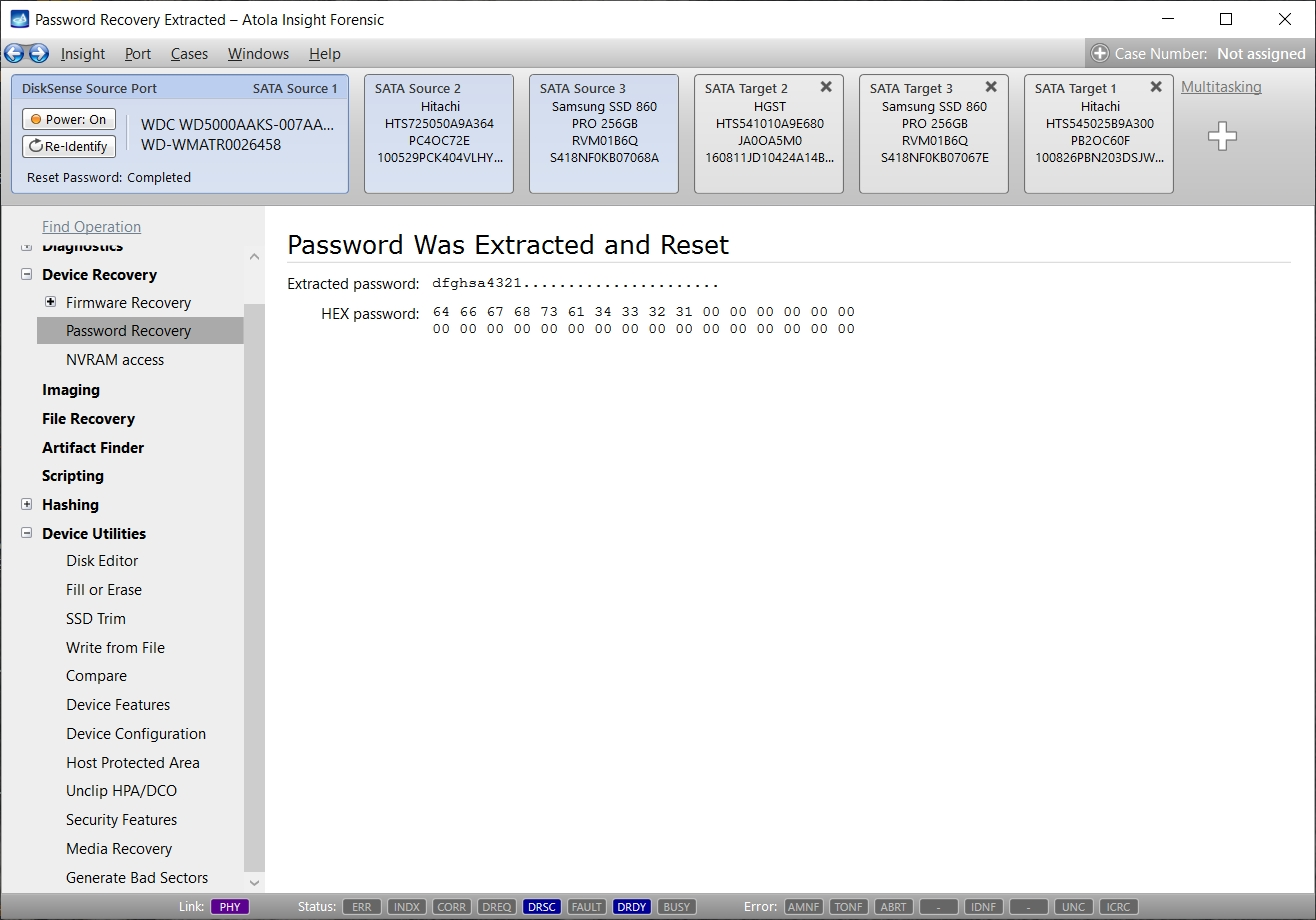
Restoring access to the drive has no impact on MD5 or SHA hash values, because the ATA password is held in the drive's firmware (service) area.
Like all Atola Insight functions, this entire process is automatically logged in the Case Management system.