Drive Diagnostics
Accurately assessing the state of a drive and finding the exact points of damage helps determine the optimal approach to successfully complete data acquisition, get an estimate of the time required for imaging and prioritize the drive based on the partitions found on it.
Insight's Diagnostics module helps you make informed decisions when you start working with any storage media entering your lab.
Table of contents
- Why early diagnostics is important
- Diagnose drives unrecognized by other imagers
- Start with Automatic Checkup
- Examine media surface and head status with Media Scan
- Current Monitoring
- Diagnose drives with multiple malfunctions
Why early diagnostics is important
With traditional forensic tools you never really know the state of the media you are working with. Therefore most data acquisitions are based on an assumption that the drive functions perfectly well. This approach works most of the time, until you have a case where the drive stops working in the middle of an imaging session, and after a few hours of poking around you have to conclude that the evidence drive is dead.
Atola imagers are the only commercially available tools that can automatically diagnose a drive, pinpoint the exact failure (if any), and suggest the best course of action.
Insight automatically diagnoses the drive's electronics, heads, media surface, firmware, and file systems, and provides a clear and detailed report.
If an evidence drive turns out to be in good condition, you can still benefit from the estimated imaging time and found partition on the drive to plan and prioritize investigative activities. Сertain details in the Firmware part of the report (e.g. HPA and DCO hidden areas, temperature and power cycle history) can provide an investigator with additional clues.
Sample reports

In the Good drive diagnostics report here you can see that all subsystems of the drive are functioning correctly. In the final stage of the checkup, Insight also checks all partitions found on the drive and informs you if they are valid or not. You are also informed about the fact that 99% of the drive's space is not taken by any partition, which is highly unusual.
In the Damaged drive diagnostics report, one of the drive's heads is marked as damaged. And some of the critical parameters in the SMART table are also raising concern and inform about the drive's deteriorating state.
Diagnose drives unrecognized by other imagers
Atola Insight Forensic can accurately diagnose drives that aren't recognized or identified by other imagers and data recovery tools, including the most sophisticated ones. In case Insight can't recognize a drive, it can still diagnose it by sensing the SATA PHY status, sending low-level, vendor-specific commands into the drive, and interpreting electrical currents.
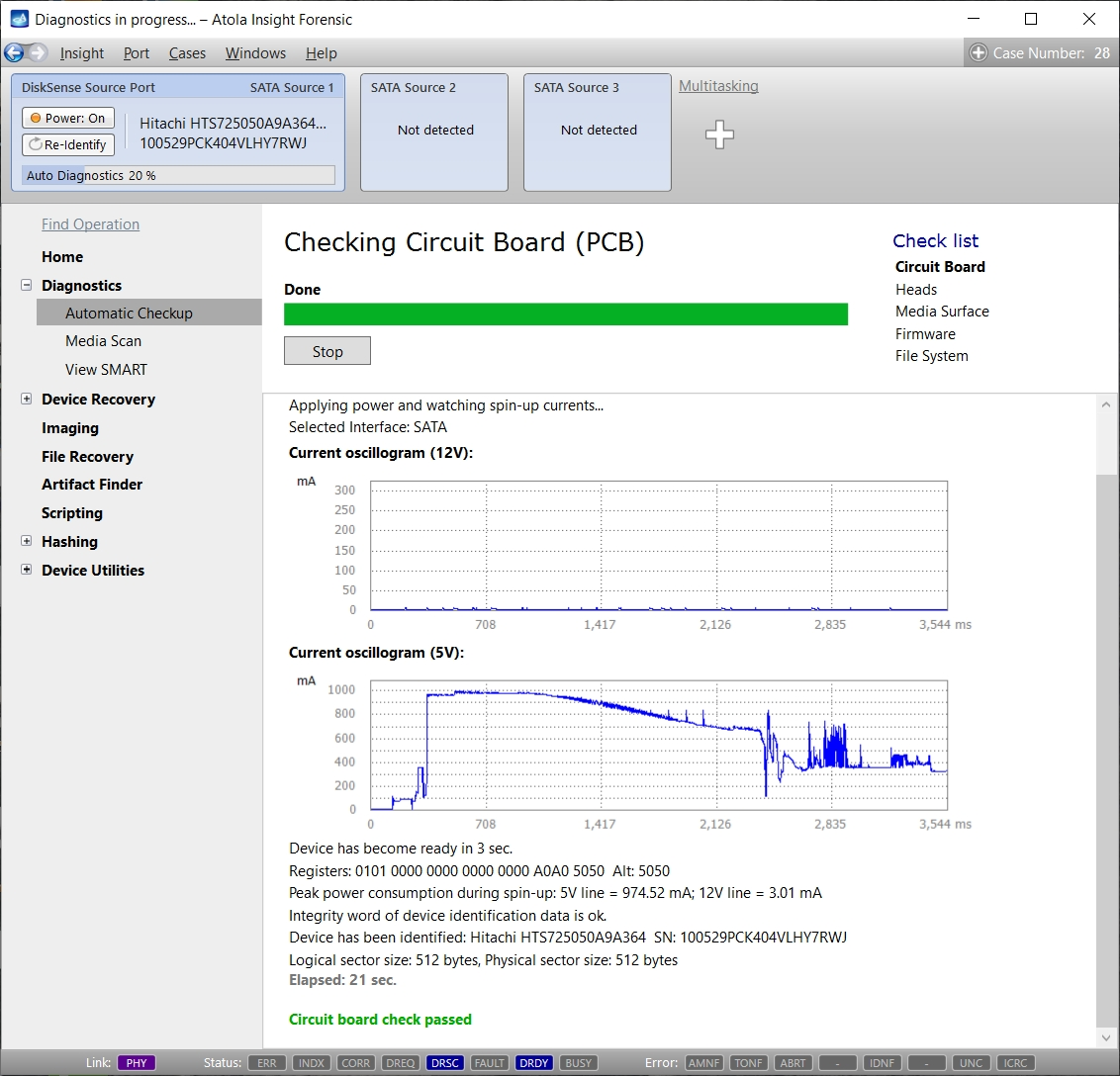
Here's how it works: Insight applies power to the hard drive and immediately starts sampling its startup currents. Then, by comparing the startup currents to the internal database it can detect a specific failure.
This approach helps successfully diagnose virtually any defect: head stack failure, motor damage, electronic board damage, etc. Since this method relies solely on startup currents and nothing else, the hard drive does not have to be operational for a successful diagnosis.
Start with Automatic Checkup
Insight's Automatic Checkup function evaluates the drive's state, identifies the specific kind of damage and recommends the optimal imaging strategy. This should be the starting point for any imaging job.
Simply plug the drive into DiskSense 2 unit and click a single button to start the automatic checkup that takes 1 - 3 minutes. Real-time status updates are displayed throughout the diagnostics process and a full report is automatically generated and stored in the case management system.
Diagnostics module identifies damage in the following areas:
- Circuit Board (PCB)
- Heads (the status of each head)
- Media Surface
- Firmware
- Partitions and File System

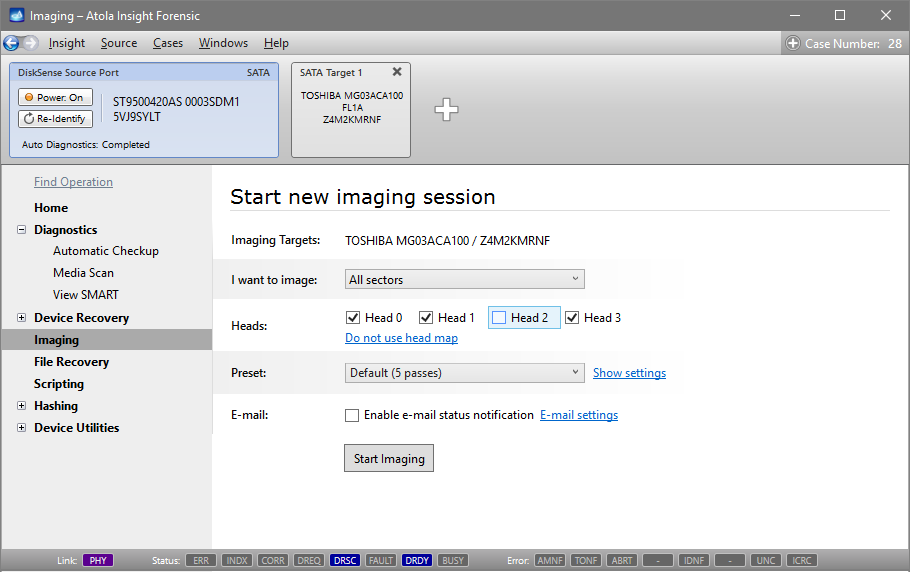
If any head appears to be degraded or even malfuctioning head, the drive will not be able to read all the data. This is why Insight will recommend you disabling such a head later on before image acquisition.
Examine media surface and head status with Media Scan
Insight's Media Scan function measures read speed for any range of sectors in both milliseconds and megabytes per second. This information helps assessing damaged sectors and read/write heads by analyzing read delays. The color-coded graph lists the current read speed, average speed throughout the scan, and the number of read errors found (updated in real time). Scan method can be set to linear (forward order), backward or fast (reads small select areas throughout the entire media to save time).
Example 1
The screenshot below shows a drive with a damaged head 3.

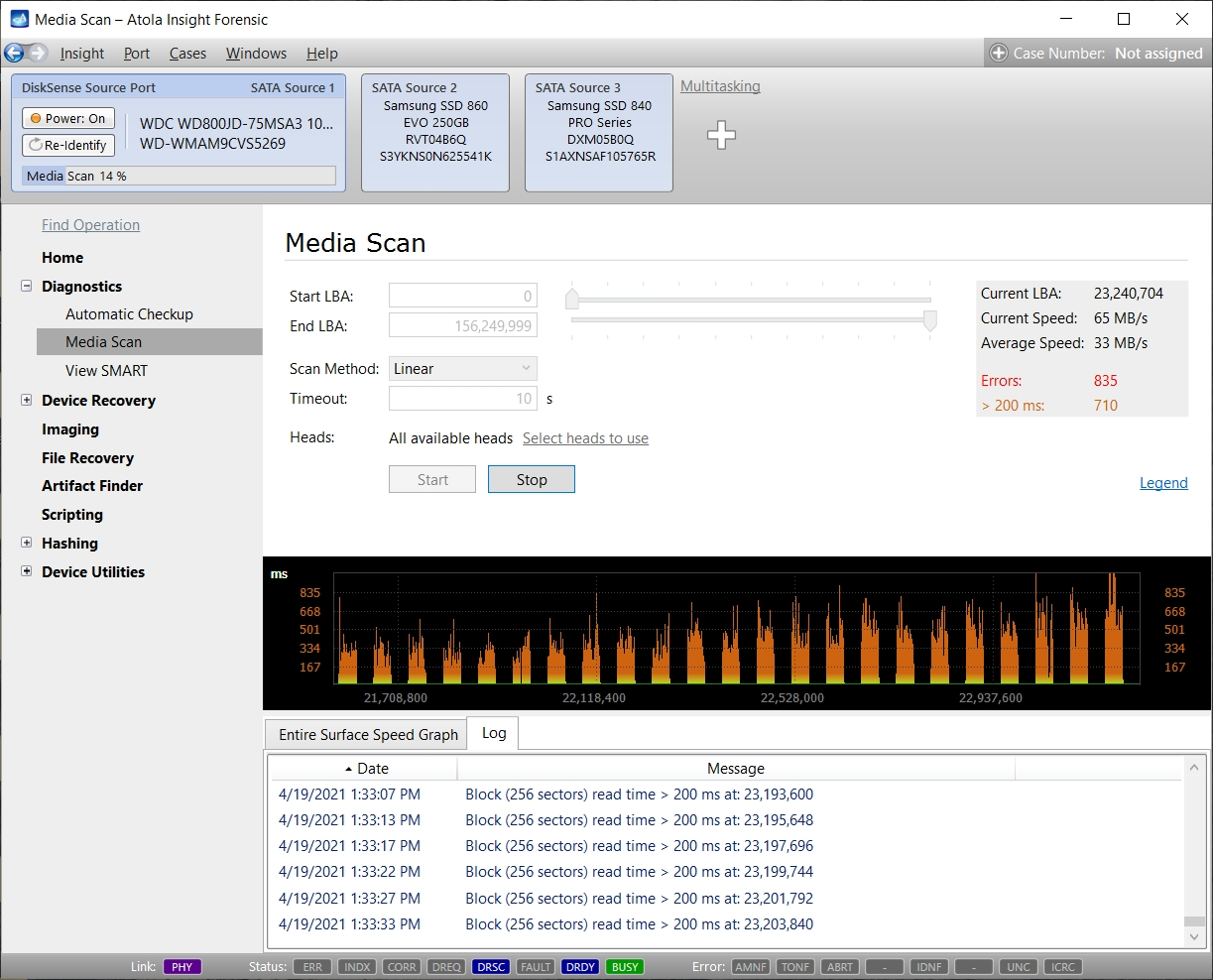
Example 2
The following screenshot shows a pattern of severe read delays and several unreadable sectors. This specific type of pattern strongly indicates head failure, where blocks being read by some heads show no delays and blocks being read by other heads show significant delays.
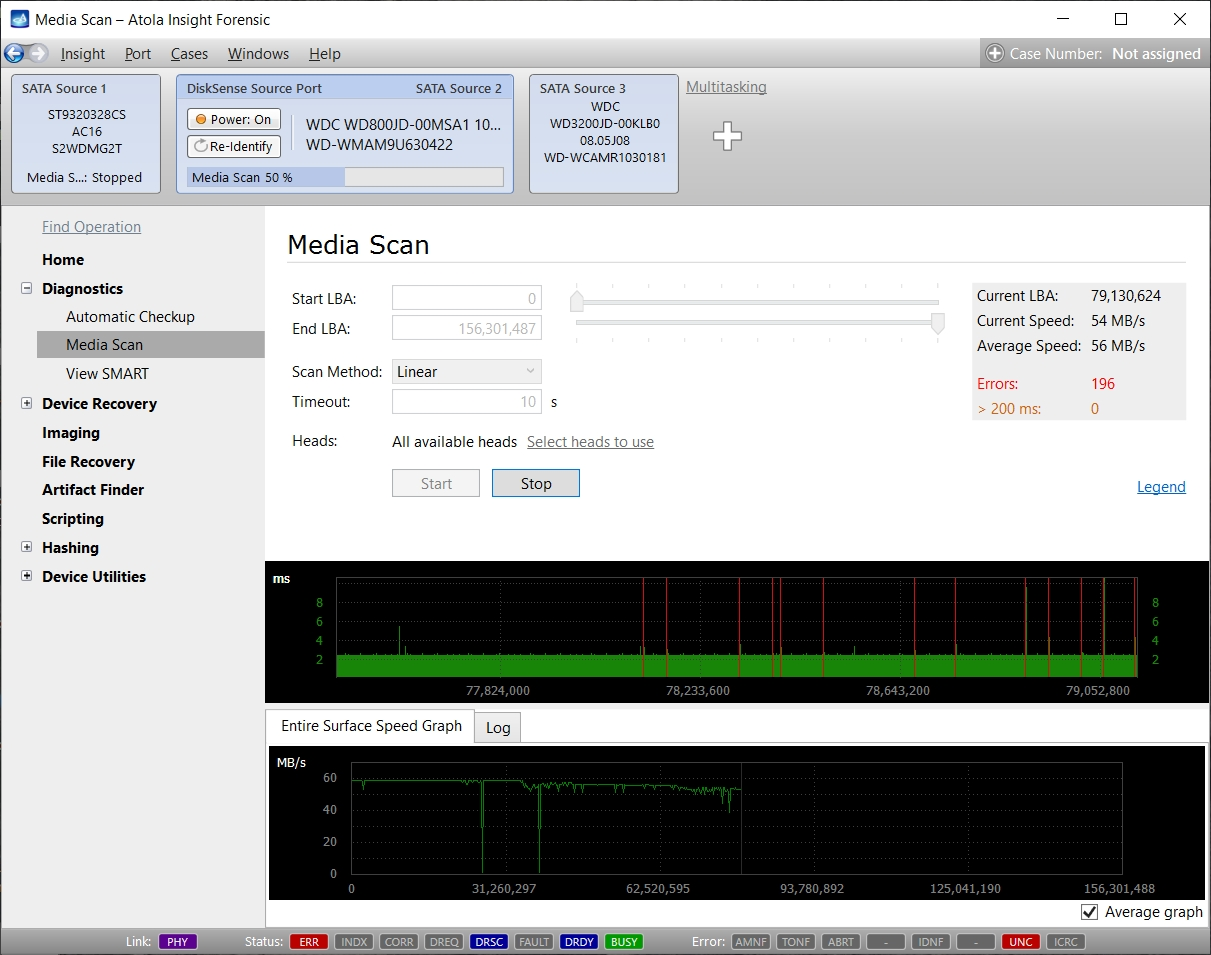
Example 3
A quite simple case of a damaged drive with occasional read errors.
Current Monitoring
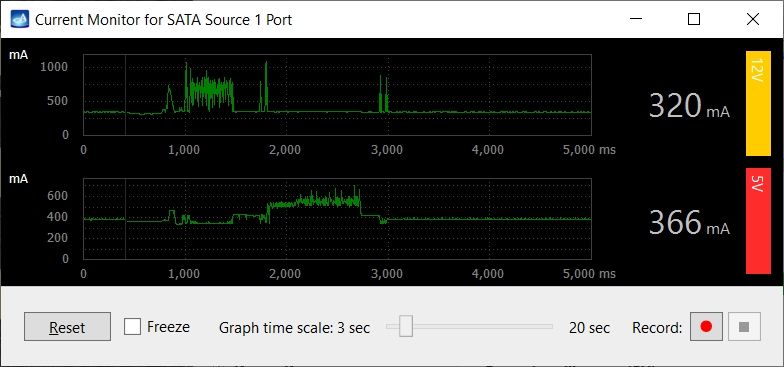
DiskSense unit is equipped with a Dual Oscilloscope that monitors the 5 volt and 12 volt currents drawn by the hard drive in real time. This feature allows tracking the electrical behavior of the hard drive throughout the entire imaging process. Any major changes or inconsistencies are identified on the fly.
Diagnose hard drives with multiple malfunctions
In the data recovery world, it is quite common for a drive to have multiple issues. In some cases, Insight will identify multiple failures at once. In others cases, only one failure will show up during the initial diagnosis and further issues will become visible in the process of recovery.
For example, if a hard drive has experienced failures in both PCB and firmware area, only the damage in the PCB will be identified at first because a properly functioning PCB is needed to relay electrical signals from the drive in order to detect firmware damage. Once the PCB is repaired, the drive needs to be diagnosed a second time to identify the damage to the firmware area.
Please note that Insight will only diagnose a drive that is directly connected to the DiskSense 2 unit. Drives from RAID arrays must be diagnosed and recovered individually.
For DiskSense units (manufactured in 2014 - 2020), check out this page about Diagnostics.